Top up to 40 Blue Stars weekly
Short stories include illustrations, bilingual text and narration. Creation cost depends on the selected options, not a fixed book count.
Start with a name, a family member and an adventure. Review the draft, then read and listen in Chinese and English.
Available on the App Store; regional and service eligibility apply. Eligibility
Public examples need no sign-in. Free download; cloud use follows this app’s allowance. See Free and Growth access
Lingo Bear · AI Storybooks
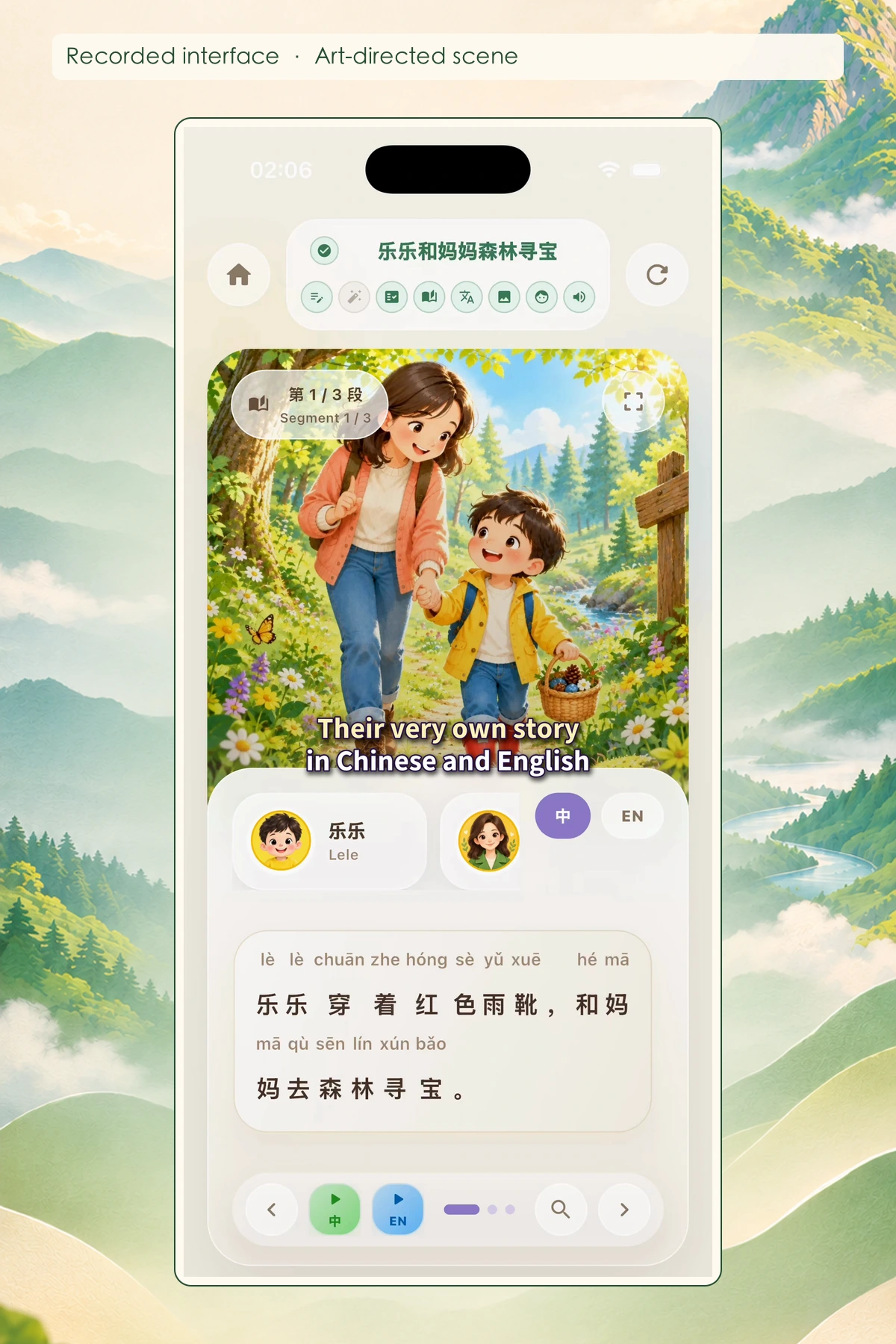
A name, Mama and a forest adventure
THE OBSERVED RESULTRed rain boots carried into the storyExplore the process Recorded interface with scene artwork, cropping and existing captions.Each app has its own allowance and purchases.
Short stories include illustrations, bilingual text and narration. Creation cost depends on the selected options, not a fixed book count.
More allowance, medium and long stories, AI characters and draft polishing. Creation is metered.
Membership allowance and consumable purchases are separate. Wait for the next top-up or buy more if needed. Check the cost before submitting.
Access checked 10 November 2026. Follow the permission steps for the learner, region and features. Local prices and final purchase terms appear in the app and purchase screen. Regional prices and details ↗
Carry a name, family relationship and interest through one story—not just its cover.
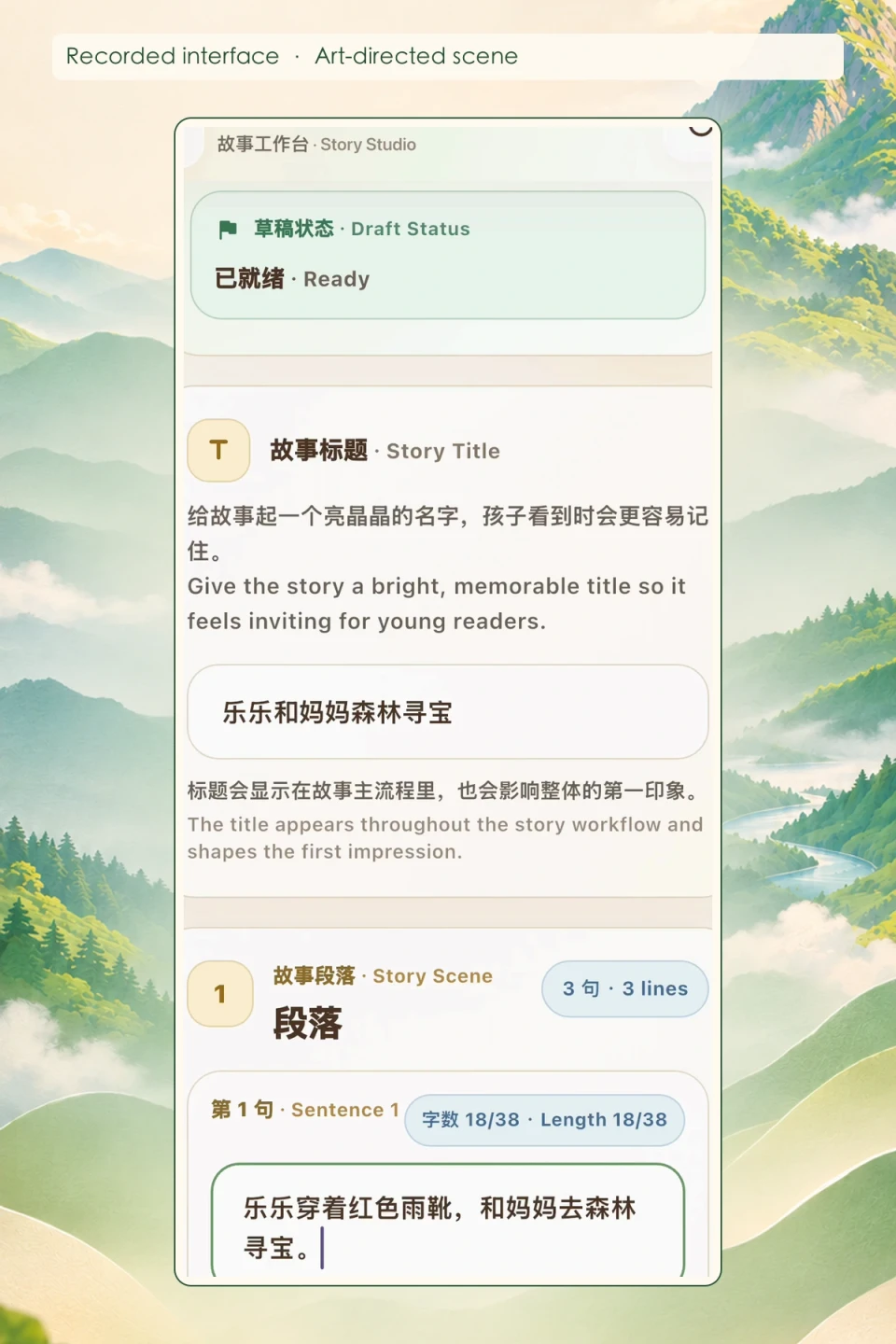
Review and adjust story details at the draft stage.
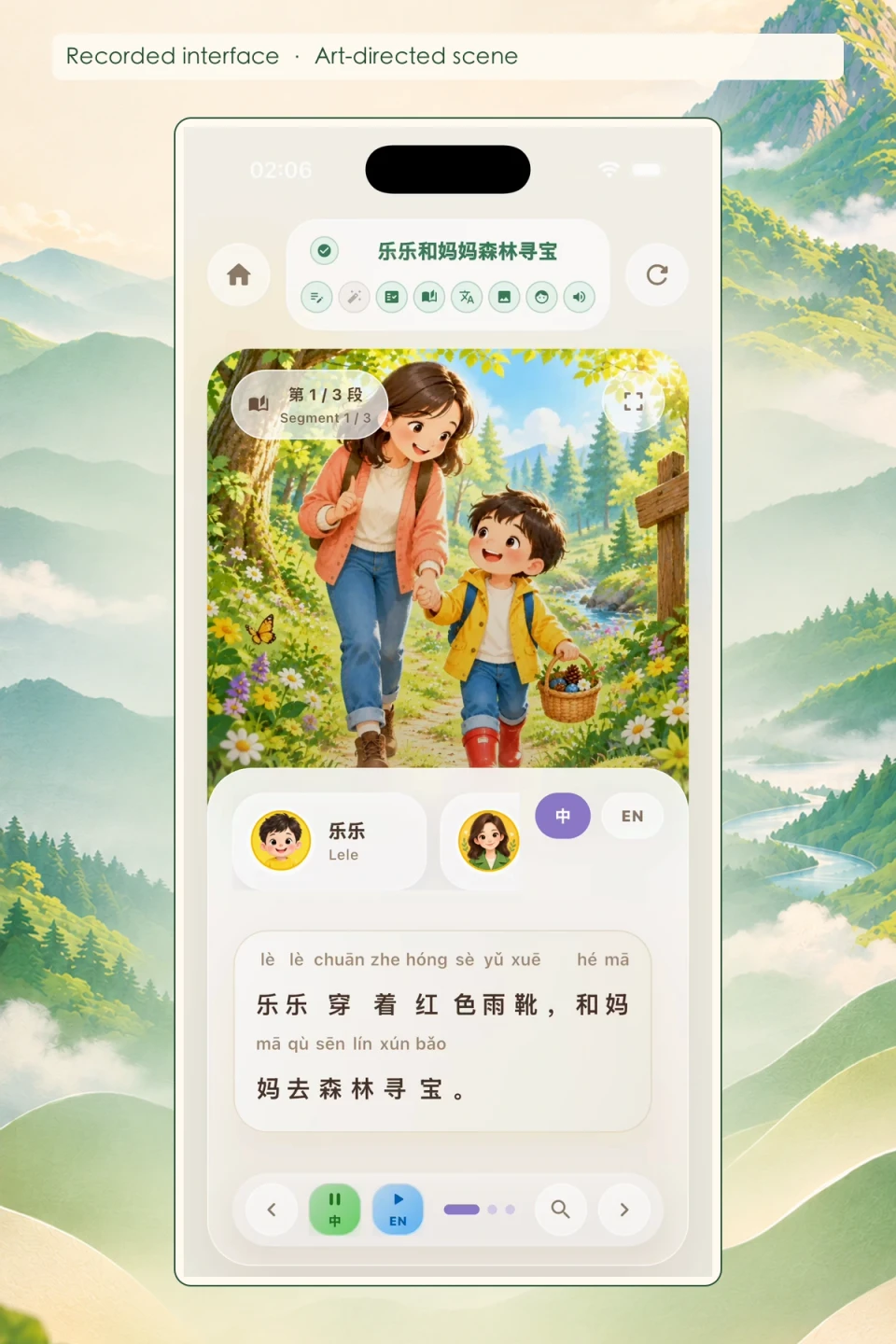
Read the finished book with illustrations and Chinese and English narration.
Choose a name, a family relationship and an interest or experience. The demonstration follows Lele and Mama on a forest treasure hunt.
Read the draft and change a detail before continuing. In this example, red rain boots become part of Lele’s adventure.
Allow time for generation, check the text and illustrations, and play the Chinese and English narration. Explore supported interactive words along the way.
Explore a recorded example before deciding how to begin.
Follow one real forest-adventure book from its characters and draft change to the finished Chinese and English sentence.
Explore the full example →Hear one sentence from a personalized forest story in Chinese and English, then use the picture and text to plan a family reading session.
Explore the full example →These web examples need no sign-in. The personalization guide includes the complete nine-sentence Chinese–English story; the read-aloud guide adds a treasure-finding and vocabulary-checking task.
After installation, begin with the offline examples provided by the current app. Cloud features require a connection, a device account, accurate learner details and the permission steps that apply to that learner.
Check whether it fits the task you have in mind.
Current store names: 小熊启语 · AI 绘本 in mainland China; Lingo Bear · AI Storybooks in the English-language listing.
The app is free to install. Explore these web demonstrations or open the app’s offline examples after installation. Cloud story creation and all content are not included simply by downloading it.
The table shows public store prices checked on 9 November 2026. Memberships renew monthly or yearly; Blue Star Coins are separate consumable purchases. Check current membership access, the cost of each creation, taxes and the final price in your region’s app and purchase confirmation.
Manage or cancel subscriptions in your Apple Account settings. Deleting the app or your account does not cancel a subscription. Consumable coins are separate from recurring memberships.
| Region and membership | Monthly | Yearly | Other purchases or access |
|---|---|---|---|
| Mainland China · CNYLingoBear 成长会员 | ¥68.00 / month | ¥488.00 / year | Blue Star Coins: 100 ¥28; 200 ¥48; 500 ¥88 |
| United States · USDLingoBear Growth | $9.99 / month | $79.99 / year | Blue Star Coins:100 $3.99;200 $6.99;500 $12.99 |
| Singapore · SGDLingoBear Growth | S$14.98 / month | S$99.98 / year | Blue Star Coins: 100 S$5.99; 200 S$9.99; 500 S$19.99 |
These public examples need no sign-in or parent verification. Before using protected app features, select the actual learner’s age and country of residence accurately. Parent or guardian consent and KWS adult verification are required only where the learner’s age, residence and requested features call for them; other eligible users may consent for themselves.
The three apps share KWS adult verification, but each explains its processing, obtains consent and manages product permission separately. Permission for one product does not authorize another. Payment or a checkbox cannot replace required verification. Read the formal parent-verification and product-permission notice before use.
Create around a name, family relationship and interests, then adjust the story at the draft stage. Available options and usage costs follow the current in-app information.
This demonstration supports editing during the draft stage. It does not promise unlimited changes to every completed illustration, recording or page.
Yes. This example follows one finished book and plays the same sentence in Chinese and English, rather than combining unrelated books.
No instant-generation promise is made. Story and media creation take time and depend on the selected options and service conditions. The demonstration edits out some waiting.
No. Sign-in-free examples are available without verification. Complete the relevant product’s consent and adult-verification flow only when the learner, region and requested features require guardian permission.
A content rating describes app content; it does not establish eligibility for protected features or provide consent for personal-data processing. Follow this product’s formal notices, give the actual learner’s age and country of residence accurately, and complete the applicable consent and guardian steps. Another product’s age rules do not automatically apply here.
No. A device account opens after applicable permission steps. Valid Keychain credentials can help with same-device reinstall recovery; wipe or cross-device recovery is not guaranteed. See this product’s privacy/deletion pages for account, subscription and content-recovery limits.
Examples show a particular recorded workflow. They do not guarantee learning outcomes or the accuracy of every response.
Public examples use demonstration material, not private searches, personal stories or learning records. Read this product’s privacy and account deletion information before use, and follow the current guardian-verification requirements where applicable.
Prepared and maintained by the Lingo Bear product team. Publisher and operator: Beijing Jianren Jianzhi Technology Co., Ltd.
Examples use approved team demonstration material, with demonstration names and synthetic voices. They do not use private learning records or real-child testimonials.
Recorded inputs, model wording and book text retain their original meaning. Practice prompts, language analysis and reading questions are identified as editorial additions.
Prices and availability are checked as of the stated date. Report a page error using the link below; confirmed errors are corrected in the text, with the review date and a note for substantive changes.
Include the page link, passage and suggested correction. Do not send a child’s name, recordings, private stories or account credentials. Report an error on this page
Create a story around your child’s name, family and interests. Review the draft, then explore the finished book with Chinese and English narration.
View on App StoreScan this app’s code or use the store link. Free download with in-app purchases; accounts and access stay separate.
View on App Store
The new version opens a device account after applicable permission, without email/password or social sign-in. Keychain recovery depends on the system and valid credentials; cross-device/wipe recovery is not guaranteed. Deletion does not cancel subscriptions or reset used allowances.
Privacy and data information · Deletion and retention limits